
THE BIG IDEA
The sky already knows the way in.
For the first time in VAT, your arrival can be guided by a real flight's path.An approach should feel like part of a living airspace, not a series of generic turns generated just to get you onto final.
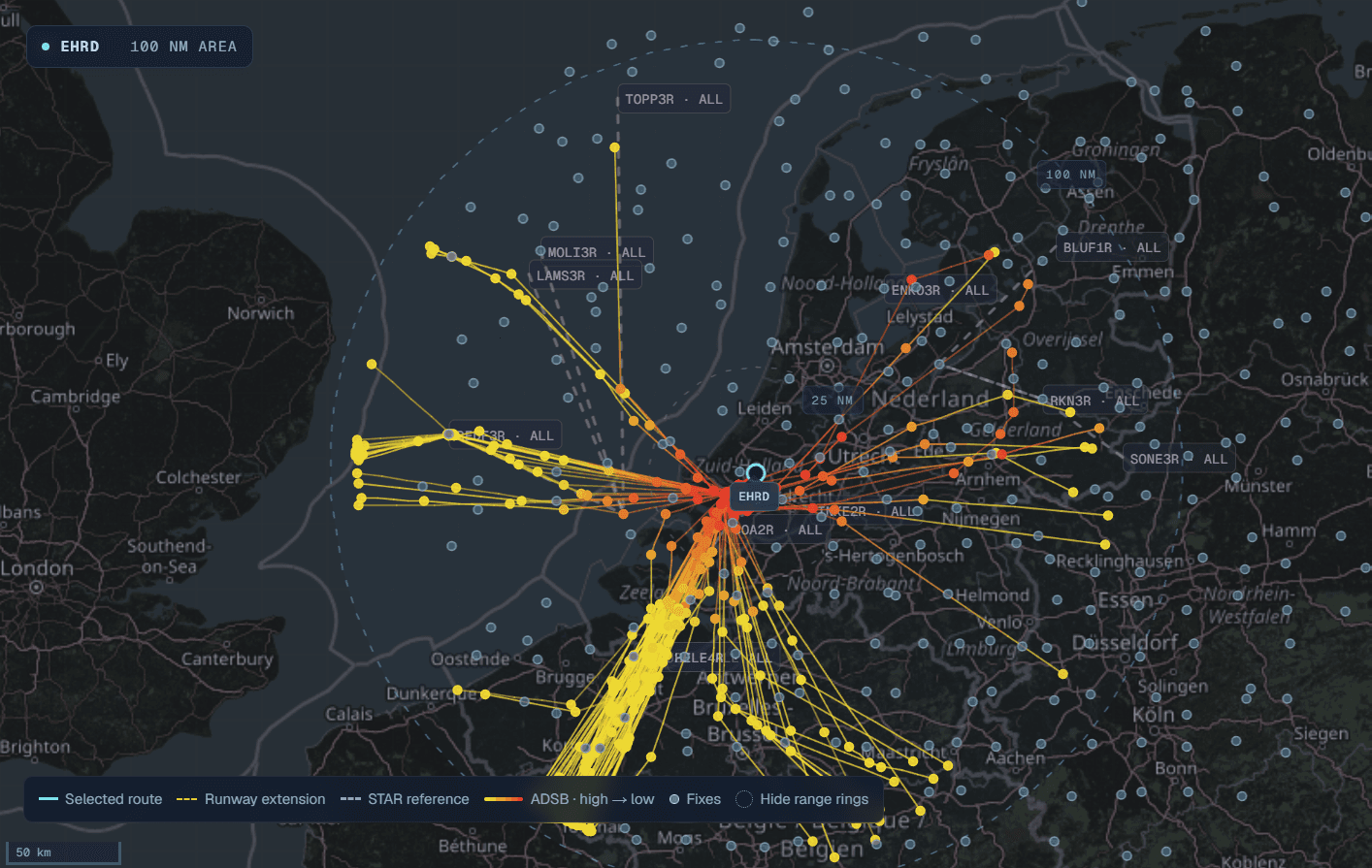
That's why we built historical ADS-B arrival vectoring. Rather than inventing a set of turns, Virtual Air Traffic looks for an arrival recorded at your destination, for the runway in use and the type of aircraft you're flying. When it finds a suitable match, the ATC system translates that real-world track into guidance for your flight. It may be a first-of-its-kind step for flight simulation ATC: the path from observed airline operations to your own radio clearances.
Not just believable vectors. Vectors with a real-world origin.
Somewhere, on an actual arrival, an aircraft flew the route that inspires yours. That's a new level of immersion.
FROM LIVE SKIES TO YOUR SIMULATOR
Thousands of arrivals. One route that fits.
Every day, thousands of real-world arrivals are analysed using ADS-B data. Their observed paths are organised into a growing library by airport, landing runway and aircraft type. The result isn't a theoretical approach drawn on a chart: it's a record of how aircraft actually arrived in real airspace.
Collect actual ADS-B arrivals and the tracks flown toward the runway.
Build a searchable arrival library for each airport, runway and aircraft type.
Find a usable route for your aircraft, position and direction of travel.
Turn the matched track into flyable, wind-aware ATC instructions.

THE PART YOU ACTUALLY FLY
Your aircraft. Your controller. A route flown before.
Imagine approaching Amsterdam in an airliner. Instead of receiving a generic path to the runway, VAT looks for a historical arrival that fits your aircraft type, the active runway, and where you're entering the terminal area. It also considers your direction of travel, so an arrival from the west doesn't suddenly demand a route meant for traffic arriving from the east.
Once the route is selected, ATC works from its real-world coordinates. You hear headings and descent clearances, not a replayed list of GPS points. The plugin calculates the headings to fly with wind and magnetic variation in mind; if you drift off the assigned path, it can guide you back toward a sensible point farther along the same arrival.
Hear a clearance. Fly the heading. Get set up for final — knowing the route is grounded in an actual arrival, not just a plausible-looking line on the map.
Realistic, not a promise of an identical flight. VAT adapts the observed track to your position, wind and runway geometry. Actual ATC, weather and traffic can differ, so the route may not reproduce every historical heading exactly. When there isn't a safe, suitable match, VAT retains its existing aptOPS or published-procedure/own-navigation fallback instead of forcing one.
AND IT DOESN'T STOP WITH YOUR FLIGHT
A whole world of real flight plans.
We've also imported an enormous library of real-world flight routesderived from ADS-B data. This gives VAT something just as important as realistic airport schedules: a picture of where those flights actually go between departure and destination.
Those routes are used by AI traffic, too. When a recorded route is available for a flight, its aircraft can follow the same real-world waypoint sequence rather than simply taking a straight line from airport to airport. You're no longer the only aircraft with a plan — the traffic around you has a reason to be there.
Flights with the operators, airports and timing you expect to see.
ADS-B-derived routes give matching AI aircraft a real-world path.
Meet traffic following more than just a direct line to its destination.
Route availability varies by flight. If no valid recorded route is supplied, VAT keeps its normal routing behaviour.
TAKE A LOOK OUTSIDE THE COCKPIT
See the VAT skies moving.
Want to see the network behind all this? Head to the Live flights map on the Virtual Air Traffic homepage. It displays flights currently in the VAT system, with the ability to explore the traffic on the map and inspect individual flights. It's a small window into a much bigger world of simulated aviation.
Explore the network, discover flights in motion and follow the routes being used.
THE FLIGHT DOESN'T END AT SHUTDOWN
Fly it now. Relive it later.
That arrival is a story worth keeping. In your Flight Portal, you can return to a recorded flight and see its GPS track laid over a map, together with the radio transcript from your journey.
Review the point where ATC issued a clearance, follow your turn toward the next fix, or simply look back at the route you flew. In the example below, a journey from LOWS to EHAM shows the recorded flight path alongside its ATC and pilot messages. It's a great way to appreciate how a data-driven arrival unfolded — and spot what you might fly differently next time.

Open the Flight Portal to revisit recorded routes and radio conversations, or start a new flight and make another entry.
View your flight history